APP图标的现有问题
因为我们应用中大量常用view中出现图标概率很大,正常使用拉取图标较多,对图标的流量问题优化的投入产出比会很高,对于图片的选择和使用就尤为重要。 android分段屏幕的物理尺寸如下:
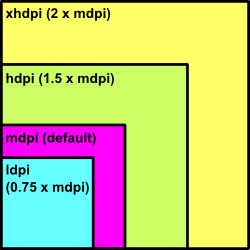
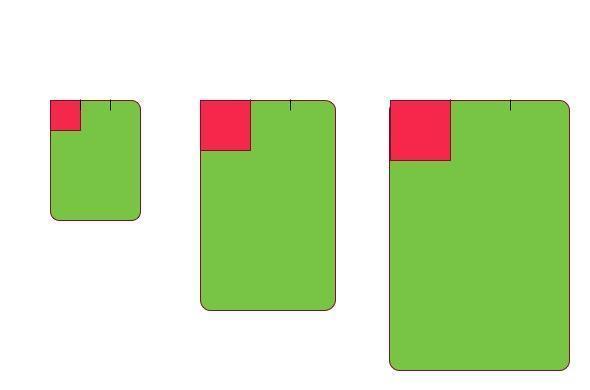
现在有三个物理长宽分别为2寸、3寸, 4 寸, 屏幕密度分别为120dpi、160dpi、240dpi的手机 在这三个屏幕上,将三个手机屏幕的宽分为三等份,则根据dpi的定义, 三个屏幕中每等份分别容纳80px, 160px, 320px 若只有drawable下的图片:则所以在hdpi屏幕上系统会按比例将drawable下的图片扩 大为原来的1.5倍,在ldpi屏幕上系统会按比例将drawable下的图片缩小为原来的0.75倍
Android 中的图片预处理
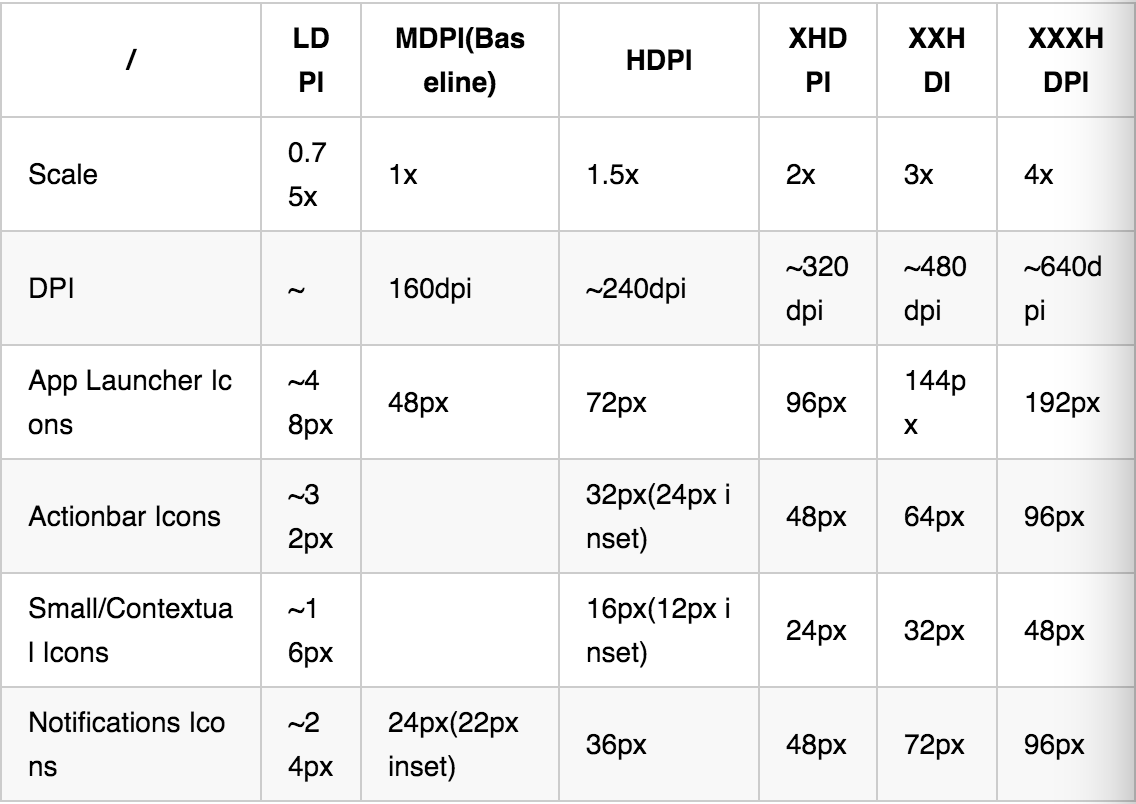
- 对于图标的处理: *drable-xdpi: Android中对于drawable的定义比较规整,为了更好的适应各种屏幕,我们选择了几种或全部适配范围,其图片大小和像素大小对应关系如下:
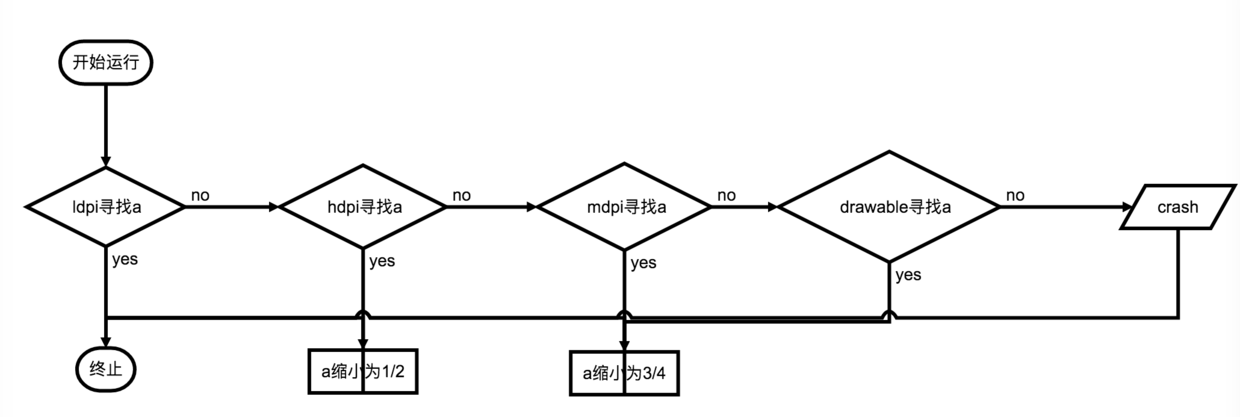
Android 寻找icon的过程
在Android2.1以及之后,出现了drawable-ldpi、drawable-mdpi、 drawable-hdpi、drawable-xhdpi、drawable-xxhdpi。在这些文件 下提供的图片大小最好是3:4:6:8:12。程序在不同的屏幕密度下运行时,会 首先去符合当前屏幕密度的文件夹下找对应的资源,如果没有,系统会以最省力为 前提去别的文件夹下找对应的资源并对其进行相应的缩放,如果还没有,就回去默 认的drawable文件夹下找,然后按照Android2.1之前的规则缩放。如果还没有找到, 应用就会报错或者直接crash掉了。
Android中图片的加载
*对于bitmap的加载
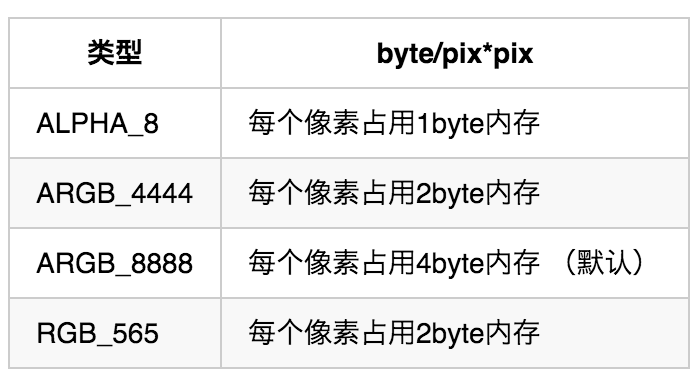
On Android2.3.2(API level 10) and lower, the backing pixel data for a bitmap is stored in native memory. It is separate from the bitmap itself, which is stored in the Dalvik heap. The pixel data in native memory is not released in a predictable manaer, potentially causing an application to briefly exceed its memory limits and crash. *As of Android 3.0 (API level 11), the pixel data is stored on the Dalvik heap along with the associated bitmap. 对于bitmap的处理,其canvas的属性有4种,每种占用的内存差别很大 例如在列表中仅用于预览时加载缩略图(thumbnails ) Android中图片有四种属性,分别是:
ImageCache 图片缓存,包含内存和Sdcard缓存
典型的图片加载策略: 根据屏幕需要的宽高选择inSampleSize的值进行decode和load
- 获取insamplesize
public static int calculateInSampleSize( BitmapFactory.Options options, int reqWidth, int reqHeight) { // Raw height and width of image final int height = options.outHeight; final int width = options.outWidth; int inSampleSize = 1; if (height > reqHeight || width > reqWidth) { final int halfHeight = height / 2; final int halfWidth = width / 2; // Calculate the largest inSampleSize value that is a power of 2 and keeps both // height and width larger than the requested height and width. while ((halfHeight / inSampleSize) >= reqHeight && (halfWidth / inSampleSize) >= reqWidth) { inSampleSize *= 2; } } return inSampleSize; } - Decodebitmap
public static Bitmap decodeSampledBitmapFromResource(Resources res, int resId,
int reqWidth, int reqHeight) {
// First decode with inJustDecodeBounds=true to check dimensions
final BitmapFactory.Options options = new BitmapFactory.Options();
options.inJustDecodeBounds = true;
BitmapFactory.decodeResource(res, resId, options);
// Calculate inSampleSize
options.inSampleSize = calculateInSampleSize(options, reqWidth, reqHeight);
// Decode bitmap with inSampleSize set
options.inJustDecodeBounds = false;
return BitmapFactory.decodeResource(res, resId, options);
}
参考链接: http://iconhandbook.co.uk/reference/chart/android/ http://mtc.baidu.com/academy/detail/article/105 https://developer.android.com/guide/practices/screens_support.html